All pricing reflects official plans as of April 2026. Free tiers are noted where available.
📊 What AI Productivity Tools Actually Deliver
- Time recovered: Knowledge workers save an average of 1–2 hours per day using AI task and workflow tools
- Meeting reduction: Teams using async AI summaries report 20–30% fewer follow-up meetings per month
- Focus time: Individuals using AI scheduling tools gain 2–3 additional deep work hours per week
- Workflow efficiency: Automated handoffs and status updates reduce project coordination overhead by 35–50%
- Adoption ROI: A Federal Reserve study found AI tools save workers 5.4% of total working time — roughly 2.5 hours per week on a standard schedule
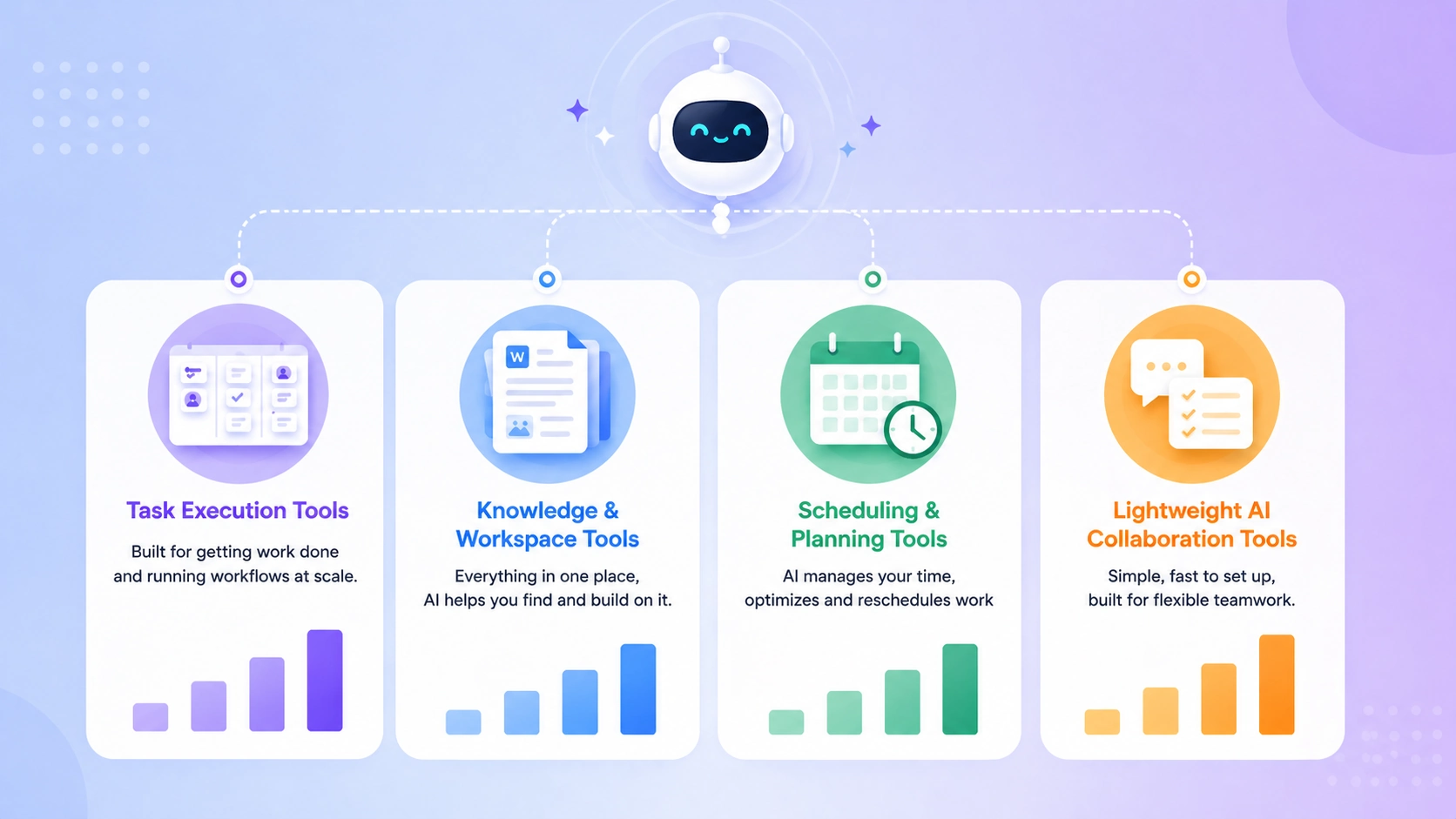
Notion AI — Best for All-in-One Work Management#
Notion AI is the most versatile tool in this list. It combines documents, wikis, databases, and project management — and layers AI across all of it. You can ask Notion to summarize a meeting note, extract action items from a document, draft a project brief, or autofill a database property based on context.
For teams that live between structured projects and unstructured thinking — strategy docs next to sprint boards, SOPs next to client notes — Notion AI keeps everything in one place and makes it searchable, summarizable, and actionable.
Key strength: AI-powered knowledge management that connects documents to tasks seamlessly.
Pricing: Free plan available; Notion AI add-on from $10/member/month (Plus plan from $16/month)
Pros:
- Best-in-class for connecting knowledge, documents, and project management
- AI can summarize, draft, translate, and extract from any page
- Extremely flexible — adapts to almost any workflow structure
Cons:
- Can feel overwhelming to set up from scratch without a template
- AI features cost extra on top of the base plan
- Not purpose-built for heavy task execution or resource management
Best for: Teams and founders who need a connected workspace for projects, documentation, and knowledge — with AI assistance across all of it.
ClickUp AI — Best for Execution and Workflow Scaling#
ClickUp is built for teams that want to get things done at volume. Its AI layer handles task generation from text, automatic progress summaries, action item extraction from documents, and workflow automation that triggers across projects. The platform covers tasks, docs, goals, time tracking, and dashboards — all in one place.
Where ClickUp earns its reputation is in customization and depth. You can build nearly any workflow structure inside it — and the AI layer reduces the manual overhead of maintaining that structure.
Key strength: The widest feature set for execution-focused teams who need workflow automation at scale.
Pricing: Free plan available; paid from $7/member/month (Unlimited); ClickUp AI from $5/member/month add-on
Pros:
- Most comprehensive task and project management feature set
- AI generates tasks, summaries, and action items from any text input
- Strong automation rules across projects, sprints, and workflows
Cons:
- Feature depth creates a steeper onboarding curve than lighter tools
- UI can feel dense for users coming from simpler platforms
- AI add-on is priced separately from the base plan
Best for: Growing teams, operations-heavy companies, and agencies that need structured, automatable project management at scale.
Asana AI — Best for Structured Teams with Clear Processes#
Asana has long been the tool of choice for teams that run structured workflows — defined stages, clear ownership, repeatable project types. The AI layer builds on that strength: it can draft project plans, suggest task assignments based on workload, and surface risks before they become blockers.
For teams with established processes who want AI to assist execution rather than reimagine workflow from scratch, Asana AI fits naturally.
Key strength: AI-assisted project intelligence that works best when your processes are already well-defined.
Pricing: Free plan available (basic); paid from $13.49/user/month (Premium); Asana AI features on higher tiers
Pros:
- Clean, structured interface that scales well for larger teams
- AI goal-setting and workload management reduce planning overhead
- Strong integration ecosystem (Slack, Google Workspace, Salesforce)
Cons:
- AI features are gated behind higher-tier plans
- Less flexible than ClickUp for non-standard workflow structures
- No native document or knowledge management (requires integrations)
Best for: Mid-size teams and structured organizations that need reliable project management with AI-assisted planning and workload visibility.
Monday.com is the most visually intuitive tool in this category. Its AI capabilities include AI-generated column content, automated status updates, and workflow suggestions based on how your board is structured. For teams that think in boards and visual pipelines rather than lists, Monday.com is the most natural fit.
Key strength: Visual workflow management with AI that reduces manual board maintenance.
Pricing: Free plan available (2 seats); paid from $9/seat/month (Basic); AI features on Standard plan and above
Pros:
- Best visual interface for teams managing multiple parallel workstreams
- AI auto-fills repetitive fields and generates content within workflows
- Strong reporting and dashboard capability out of the box
Cons:
- Pricing scales quickly for larger teams
- AI features less sophisticated than ClickUp or Asana at the same price point
- Document management is limited compared to Notion
Best for: Operations teams, marketing teams, and client-facing agencies that manage multiple concurrent projects and need clear visual workflow tracking.
Motion — Best for AI-Powered Scheduling and Task Prioritization#
Motion is the most ambitious tool in this category. It's not just a task manager — it's an AI operating system for your workday. Motion looks at every task you have, every meeting on your calendar, and every deadline — and builds your optimal daily schedule automatically.
If your workflow involves heavy scheduling alongside task management, tools like Motion overlap with dedicated booking platforms — covered in our AI Appointment Booking Tools for Businesses (2026 Guide).
When a new task is added or a deadline shifts, Motion doesn't just update a list. It reschedules your entire day around the new priority. For founders and individual contributors managing deep work alongside a packed meeting calendar, this is genuinely transformative.
Key strength: AI dynamic scheduling that combines task management and calendar optimization in one system.
Pricing: From $34/month (Individual); $20/user/month (Team plan, billed annually)
Pros:
- The only tool that manages both tasks and calendar as one unified system
- AI rescheduling adapts your day in real time as priorities shift
- Reduces the daily cognitive overhead of deciding what to work on
Cons:
- Most expensive tool in this guide
- Takes 1–2 weeks to set up correctly and see full value
- Not well-suited for teams that need shared project boards or workflow automation
Best for: Founders, executives, and high-output individual contributors who need AI to manage not just their tasks — but their time.
Trello — Best for Simple Visual Boards#
Trello is the simplest visual task tool in this list. Kanban boards, drag-and-drop cards, and a clean interface that anyone can learn in 20 minutes. Its AI capabilities are modest compared to ClickUp or Asana — but for small teams managing straightforward projects, Trello's simplicity is the feature.
Key strength: The fastest path to a functioning visual workflow with almost no setup friction.
Pricing: Free plan available; paid from $5/user/month (Standard)
Pros:
- Fastest onboarding — teams are productive within an hour
- Free plan is genuinely functional for small teams
- Butler automation handles repetitive card actions without AI complexity
Cons:
- Not built for complex projects with multiple dependencies
- AI features significantly less developed than other tools in this list
- Scales poorly beyond ~15-person teams
Best for: Freelancers, small teams, and early-stage startups that need a lightweight visual project board without setup complexity.
Taskade — Best for Lightweight AI Collaboration#
Taskade is the most AI-forward lightweight tool in this category. Every workspace comes with a built-in AI agent that can generate project plans, draft documents, run research, and answer questions about your projects — all within the same interface where your tasks live.
For small teams or distributed teams who want AI collaboration without the overhead of configuring a complex platform, Taskade offers a unique combination of simplicity and AI depth.
Key strength: Built-in AI agents that assist with planning, drafting, and execution — available from day one with minimal setup.
Pricing: Free plan available; paid from $8/member/month (Pro)
Pros:
- AI agents work natively inside every project — not as an add-on
- Combines tasks, docs, and AI chat in one minimal interface
- Strong for remote and async teams needing a flexible collaboration space
Cons:
- Less powerful for complex enterprise workflows than ClickUp or Asana
- Reporting and analytics features are limited
- Integration ecosystem still growing compared to established tools
Best for: Small teams, remote-first companies, and early-stage startups who want AI assistance built into their workflow from the start.
Comparison Table#
Forget feature comparisons for a moment. Here's the direct answer based on your actual situation.
If you want all-in-one work management → Notion AI. Documents, projects, wikis, and AI assistance in one connected workspace. Best when your team produces a lot of written content alongside project work.
If you want execution and automation at scale → ClickUp AI. The widest feature set, the strongest automation, and AI that reduces the manual overhead of running complex workflows. Best for operations-heavy teams.
If your team runs structured, repeatable processes → Asana AI. Clear stages, defined ownership, and AI that assists planning without disrupting established workflows. Best for teams that already know how they work.
If you're calendar-driven and need AI to manage your time, not just your tasks → Motion. The only tool that treats your calendar and task list as one system. Best for founders and executives with high meeting loads alongside deep work commitments.
If you want simple, fast, and AI-assisted from day one → Taskade. Minimal setup, built-in AI agents, and enough structure to stay organized without becoming a tool management burden.
The best AI productivity tool isn't the one with the most features — it's the one that removes your team's specific execution friction with the least setup overhead.
— SaaS Productivity Review 2026